ProTools Deck
Pro Tools layouts
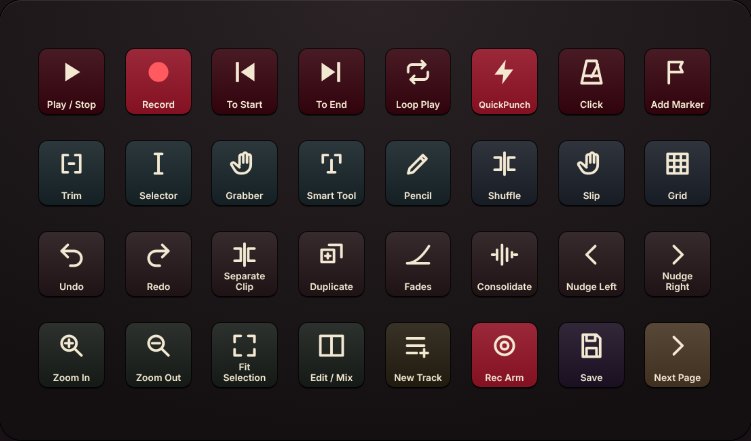
Pro Tools keys color-coded by job, with icons, laid out for your exact Stream Deck. Switches on whenever Pro Tools is in front.
{{proToolsPrice}}DeckForge included
See ProTools Deck
DeckForge is an app for Windows and Mac that drives any Elgato Stream Deck on its own. Layouts for Pro Tools and Ableton Live are sold separately, with an edition for every Stream Deck model, and each comes with DeckForge. Or get the software on its own for {{appPrice}} and make your own.
DeckForge included free with each. Instant download for Windows and Mac.
DeckForge runs the hardware. A layout tells it what to do in your DAW. Buy the layout for the DAW you use and DeckForge comes with it; use both DAWs and you buy both layouts.
Pro Tools layouts
Pro Tools keys color-coded by job, with icons, laid out for your exact Stream Deck. Switches on whenever Pro Tools is in front.
Ableton Live layouts
Live keys for recording, views, editing and tracks, laid out for your exact Stream Deck. Switches on whenever Live is in front.
The controller software
Runs any Stream Deck on Windows and Mac without the Elgato app, with a key editor to build your own layouts.
Open DeckForge
It comes with your layout. Unzip it, open DeckForge and quit the Elgato app. Your deck connects on its own.
Import the layout
Profiles, Import, then choose the .deckprofile file for your deck.
Open your DAW
The deck switches to the layout by itself, and back when you leave. Own both layouts? Each DAW gets its own.
{{pt.text}}
Choose the Stream Deck you have. Every edition is {{proToolsPrice}} and includes DeckForge.
Includes DeckForge free. Already have it? You still get the layout file.
{{pt.note}}
Your edition's .deckprofile file, DeckForge for Windows and Mac, and a quick start guide with the full layout and troubleshooting.
The Stream Deck your edition is made for, Windows or Mac, and Pro Tools 2023.3 or newer (Artist, Studio or Ultimate).
A few keys use the numeric keypad, so set its mode to Transport in the Pro Tools preferences.
{{ab.text}}
Choose the Stream Deck you have. Every edition is {{abletonPrice}} and includes DeckForge.
Includes DeckForge free. Already have it? You still get the layout file.
{{ab.note}}
Your edition's .deckprofile file, DeckForge for Windows and Mac, and a quick start guide with the full layout and troubleshooting.
The Stream Deck your edition is made for, Windows or Mac, and Ableton Live 11 or 12 (Intro, Standard or Suite).
DeckForge spots Live by name whichever edition you run, so the deck switches on its own.
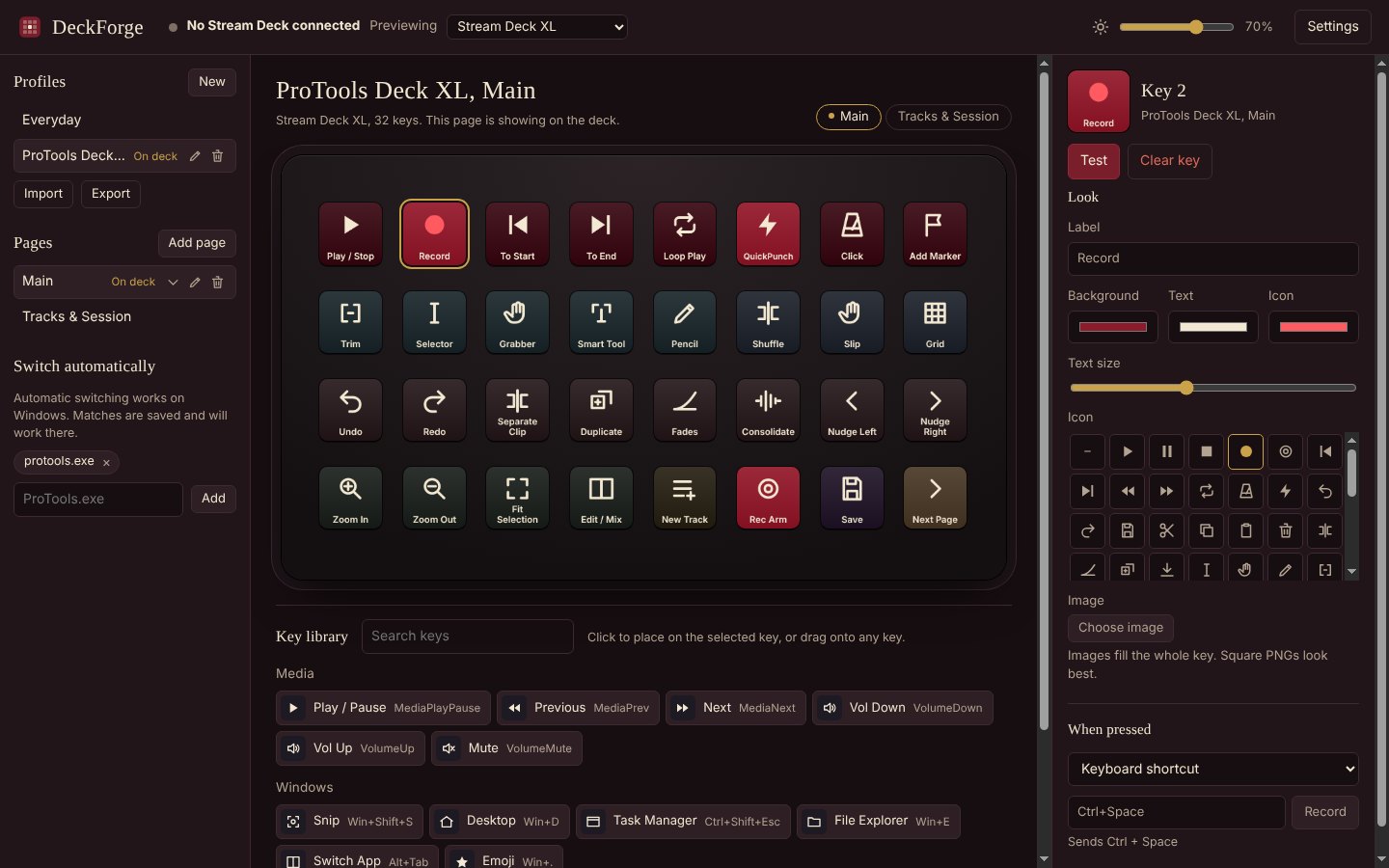
It finds your Stream Deck, draws the keys, and does what you set: one shortcut, a chain of steps, a block of text, a program or a web page.
{{f.body}}
Stream Deck XL, MK.2, Original, Mini, Neo, Stream Deck + (keys, dials and touch strip), + XL, Studio and Pedal.
Windows 10 or 11 (64-bit), or macOS 13 Ventura or newer on Apple silicon or Intel. The Elgato Stream Deck app closed while DeckForge runs.
The app, an Everyday starter profile (media, volume and system shortcuts) and a key library to build your own.
Each product is a one-time purchase with a license key that never expires and works on up to two computers, plus free updates for version 1. Every layout includes DeckForge.
{{proToolsPrice}}
{{abletonPrice}}
{{appPrice}}
Secure checkout through [YOUR STORE PROVIDER]. Your download links arrive by email straight after purchase.
{{q.a}}
Layouts for FL Studio, Cubase and Logic Pro are next, each sold on its own. Get one email when yours ships.